Installing the NBDE Tang Server Operator
You can install the NBDE Tang Operator either by using the web console or through the oc command from CLI.
Installing the NBDE Tang Server Operator using the web console
You can install the NBDE Tang Server Operator from the software catalog using the web console.
Prerequisites
- You must have
cluster-adminprivileges on an OpenShift Container Platform cluster.
Procedure
- In the OpenShift Container Platform web console, navigate to Ecosystem → Software Catalog.
- Search for the NBDE Tang Server Operator:
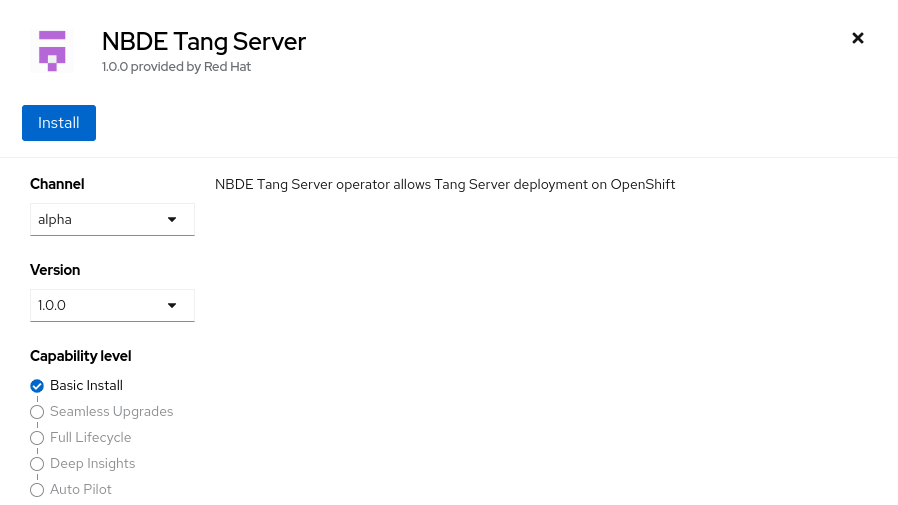
- Click Install.
- On the Operator Installation screen, keep the Update channel, Version, Installation mode, Installed Namespace, and Update approval fields on the default values.
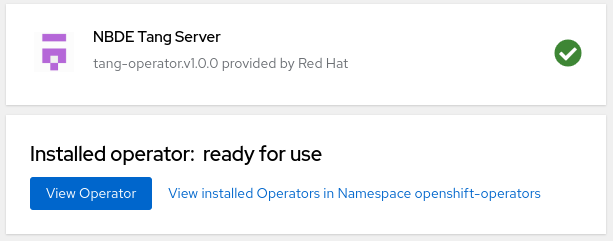
- After you confirm the installation options by clicking Install, the console displays the installation confirmation.
Verification
- Navigate to the Ecosystem → Installed Operators page.
- Check that the NBDE Tang Server Operator is installed and its status is
Succeeded.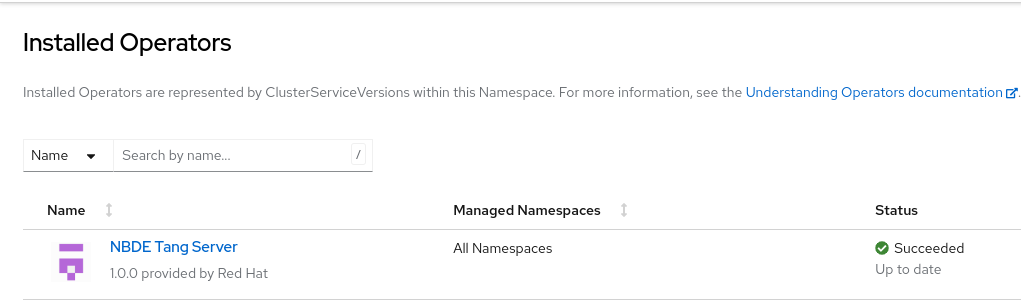
Installing the NBDE Tang Server Operator using CLI
You can install the NBDE Tang Server Operator from the software catalog using the CLI.
Prerequisites
- You must have
cluster-adminprivileges on an OpenShift Container Platform cluster. - You have installed the OpenShift CLI (
oc).
Procedure
- Use the following command to list available Operators in the software catalog, and limit the output to Tang-related results:terminal
$ oc get packagemanifests -n openshift-marketplace | grep tangExample outputtang-operator Red HatIn this case, the corresponding packagemanifest name is
tang-operator. - Create a
Subscriptionobject YAML file to subscribe a namespace to the NBDE Tang Server Operator, for example,tang-operator.yaml:Example subscription YAML for tang-operatorapiVersion: operators.coreos.com/v1alpha1 kind: Subscription metadata: name: tang-operator namespace: openshift-operators spec: channel: stable (1) installPlanApproval: Automatic name: tang-operator (2) source: redhat-operators (3) sourceNamespace: openshift-marketplace <4>- Specify the channel name from where you want to subscribe the Operator.
- Specify the name of the Operator to subscribe to.
- Specify the name of the CatalogSource that provides the Operator.
- The namespace of the CatalogSource. Use
openshift-marketplacefor the default software catalog sources.
- Apply the
Subscriptionto the cluster:terminal$ oc apply -f tang-operator.yaml
Verification
- Check that the NBDE Tang Server Operator controller runs in the
openshift-operatorsnamespace:terminal$ oc -n openshift-operators get podsExample outputNAME READY STATUS RESTARTS AGE tang-operator-controller-manager-694b754bd6-4zk7x 2/2 Running 0 12s